Solutions · Shopify inventory recovery

Inventory intelligence for both overstocks and stockouts

InventoryIntel is the operating layer for merchandising, finance and operations teams on Shopify. It works both ends of the curve: cold-end recovery for stagnant and slow-moving stock, and hot-end protection for fast-moving winners before they run dry. Continuous monitoring, scheduled policy execution and a full audit trail keep the workflow disciplined.

Enterprise workflow

How the recovery engine moves from Shopify sync to routed execution

Sync inventory, read the market, calculate the best recovery path, then execute with guided or autonomous approval.
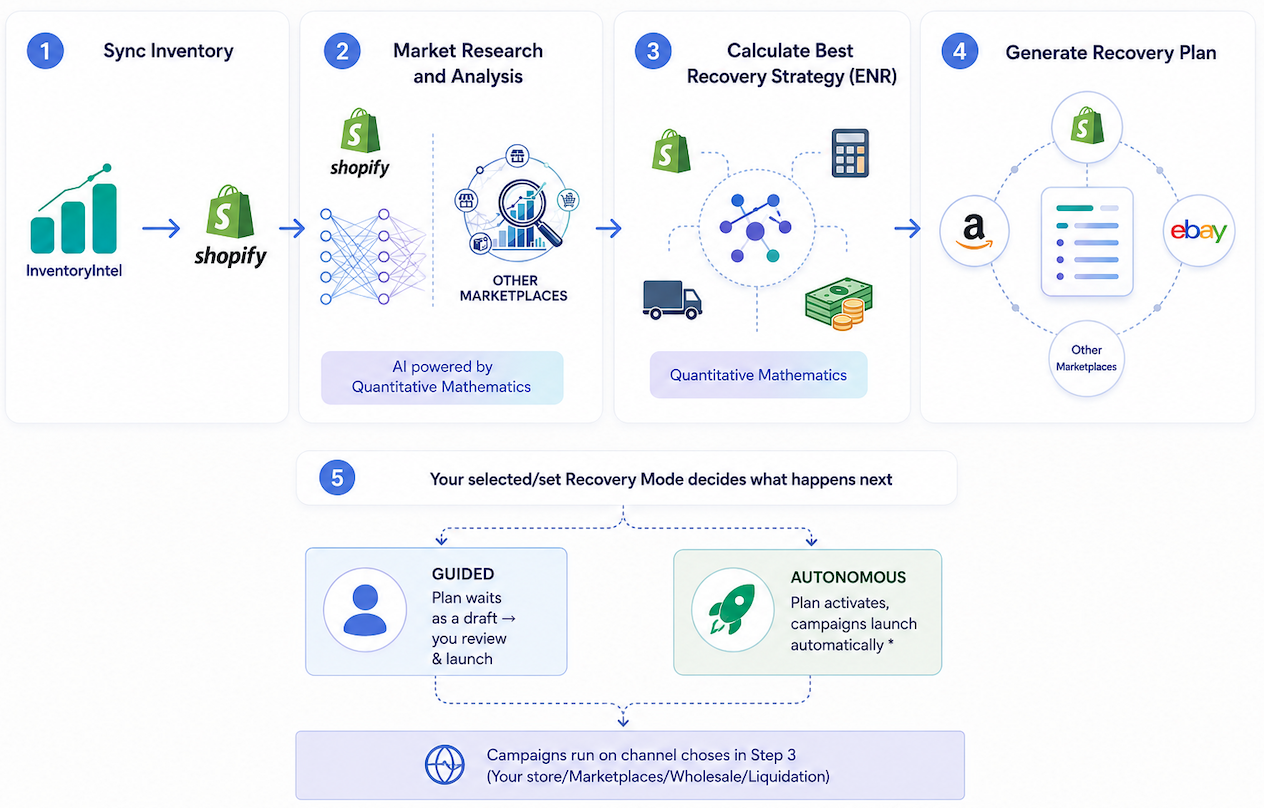
Built for enterprise buyersSync, analysis, route selection and execution are all visible in one workflow.
Corporate recovery strategy workflow diagram showing inventory sync, market research, recovery strategy calculation, plan generation, and guided or autonomous execution.
1Sync inventory
2Market research and analysis
3Calculate best recovery strategy
4Generate recovery plan
5Guided or autonomous execution
DETECT

Runway and status visibility

Use a named status system so every team sees what is healthy, slowing, critical or stagnant at a glance.
PLAN

Policy-driven automation

Set thresholds once, choose review-first or automatic modes, and let InventoryIntel launch qualifying actions inside your rules.
EXECUTE

Storefront-linked execution

Campaign decisions carry through into Shopify execution, auto-tagging, clearance merchandising and Automated Product Badging.
GOVERN

Protected inventory and guardrails

Protect premium, seasonal or hero products with exclusions, price floors, route discipline and approval layers.
EXECUTE

Monitoring, exports, and attribution

InventoryIntel keeps watching even when nobody is logged in, with reporting, exports, audit visibility and recovered-revenue attribution built in.
DETECT

Restock revenue recovery

Bestsellers cost you when they sell out, not just when they sit. InventoryIntel flags fast-movers before they run dry, then re-surfaces winners when they come back.
GOVERN

Enterprise access control

If your company already uses Microsoft Entra ID, Okta or another SCIM-capable directory, keep authorization aligned to that source of truth.
Automated Product Badging

Automated Product Badging that scales with your storefront rules

InventoryIntel pushes condition-driven storefront signals to your live storefront, and they appear and clear automatically as conditions change.
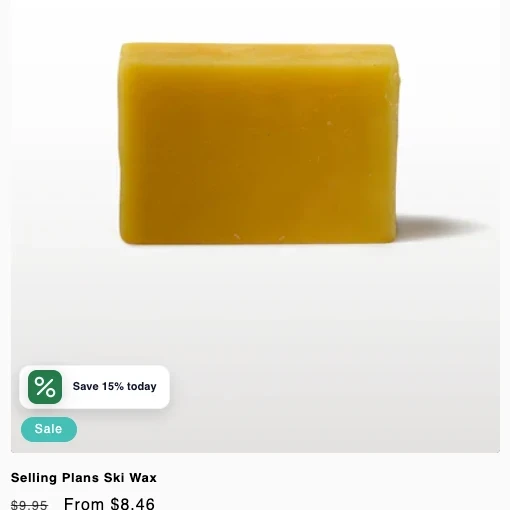
Close-up of the storefront markdown badge reading Save 20% today, priced to move while stock lasts

A Shopify storefront badge example: the markdown badge updates from the live recovery rule, and the same framework can power additional signals as your policies expand.

Example visual tags automatically pushed to Shopify

Markdown, Low Stock and Sustainability are the examples we are showing here. The system is broader than that, so additional badge types can be added as merchandising rules expand.

Green markdown badge with a percent symbol
MarkdownWhen a recovery markdown is live

A policy-approved price cut surfaces on the product page and collection grid — “Save 20% today, priced to move while stock lasts” — so shoppers see the deal without anyone editing the theme.

Amber low-stock alert badge with a warning triangle
Low stockWhen units drop below your threshold

Turns scarcity into conversion. The moment available stock falls under the level you set, a low-stock badge appears to nudge urgency — then clears itself once stock recovers.

Green sustainability badge with a leaf
SustainabilityWhen a product is flagged sustainable

Products you mark as sustainable automatically surface a sustainability badge, so eco credentials show on the storefront without manual merchandising.
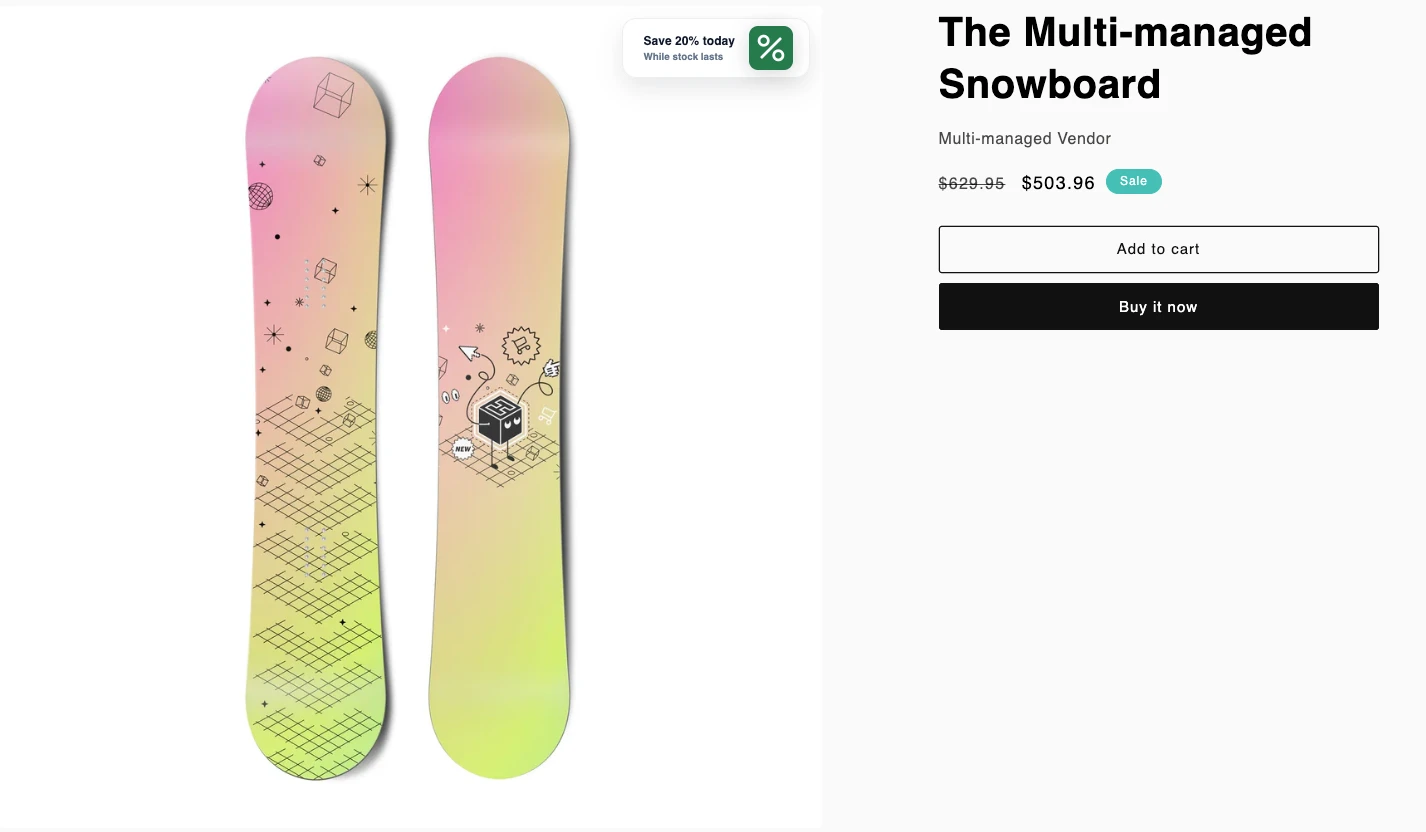
Shopify product page showing the markdown badge applied automatically from the live recovery rule

Another Shopify storefront badge example: the markdown badge updates from the live recovery rule, and the same framework can power additional signals as your policies expand.

Every badge is condition-driven: it appears only when its rule is met - an active markdown, stock under your threshold, or a sustainability flag - and clears automatically when the condition no longer holds. Markdown, Low Stock and Sustainability are the examples we show here, but the storefront signal system is designed to expand as your merchandising rules expand.

Need to see the system against your own inventory profile?

Book a walkthrough and we will show how runway, policies, recovery queues, and guardrails would work against your catalogue.

Install on ShopifyBook a Demo